 OpenDiagram
What should I include in an architecture prompt?
Start with the system’s job, important users or clients, expected traffic, required technologies, and constraints. Concrete behavior produces a more useful draft than a list of product names.
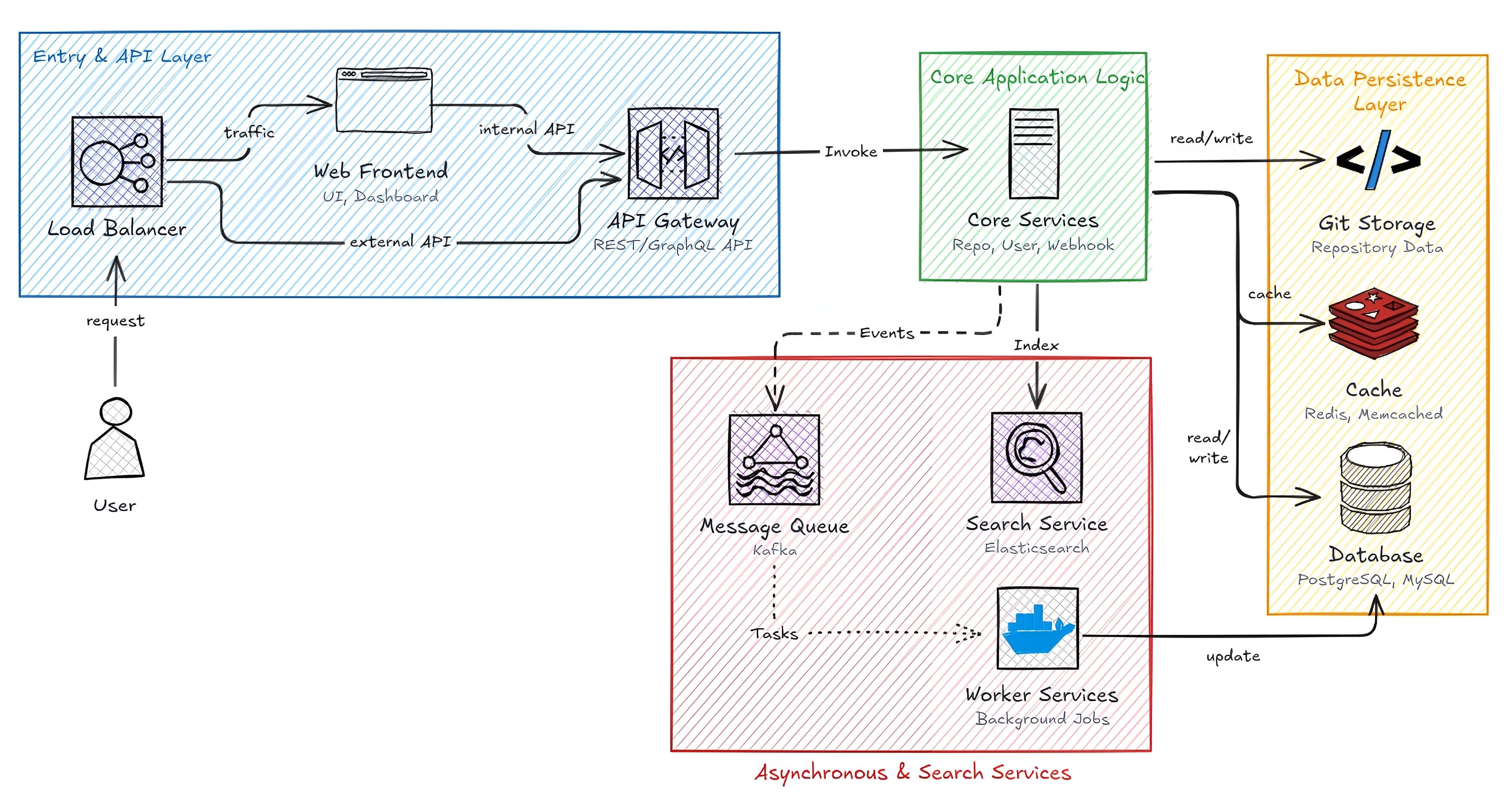
From prompt to system map
System prompt
Generate an internal system architecture diagram
Describe how your software should behave. OpenDiagram turns the requirements into a visual draft you can inspect, rearrange, and refine with AI.
A stronger starting point
Explain what enters the system, what needs to happen, and where the result should go.
Include expected scale, latency, reliability, security, or cost requirements that affect the design.
Call out required platforms, services, protocols, or existing components the draft must account for.
Use the generated map to expose assumptions early: missing dependencies, unclear service boundaries, risky request paths, or requirements that do not fit together.
Then edit the canvas and ask AI to explore alternatives. The diagram stays open to engineering judgment instead of becoming a finished-looking answer nobody reviewed.
Already have a codebase? Start from GitHub →Prompt-to-diagram questions
Start with the system’s job, important users or clients, expected traffic, required technologies, and constraints. Concrete behavior produces a more useful draft than a list of product names.
Yes. The result opens on a visual canvas where you can move components, rename services, redraw connections, and continue refining the design.
Treat it as a working draft. Engineers should still validate security boundaries, failure modes, capacity assumptions, and technology choices before using it as authoritative architecture.